
Contents
- 1. Key Takeaways
- 2. Why students are turning to AI for revision
- 3. How to Study with AI: Five Ways to Revise
- 4. Use AI to Explain Concepts You're Stuck On
- 5. Use AI to Clear Up Things You Keep Mixing Up
- 6. Use AI to Create Memory Tricks That Actually Stick
- 7. Use AI to Decode Exam Command Words
- 8. Use AI to Build a Revision Timetable Fast
- 9. Why You Shouldn't Use Generic AI to Mark Your Answers
- 10. Habits to Avoid When Using AI to Study
- 11. Frequently Asked Questions
- 12. AI + Best Revision Techniques + Save My Exams = Success
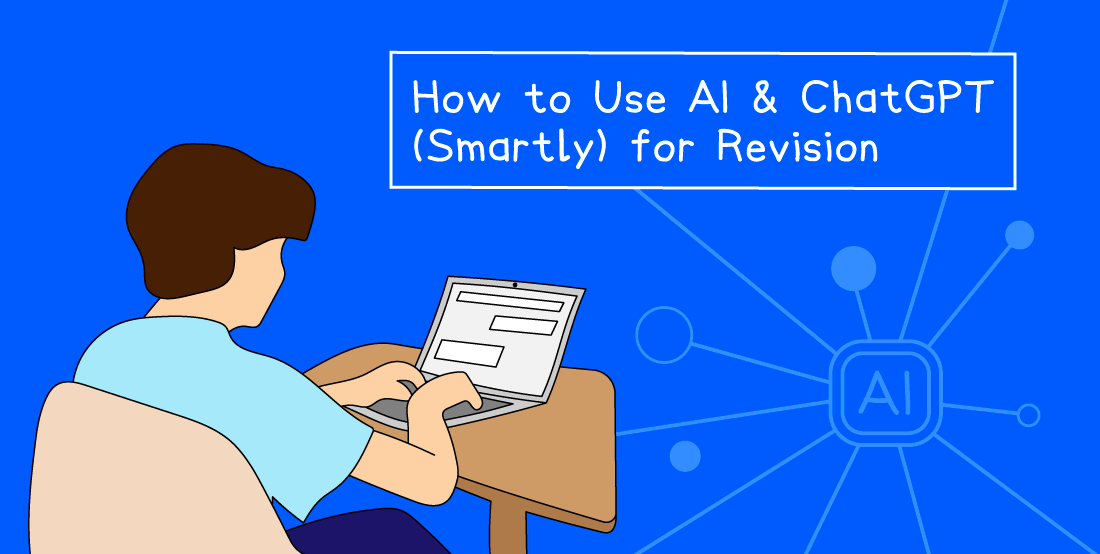
Save My Exams’ survey found that 93% of students use AI for schoolwork, but it’s not easy to know whether you’re using it effectively.
Maybe you've watched a TikTok telling you to ask ChatGPT to teach you the whole spec. A friend swears by it. Another says it gave them rubbish answers and tanked their mock.
The truth sits somewhere in between. Knowing how to use AI to study properly can speed up your revision, target your weak spots, and stop you wasting hours on things you've already learned. Used badly, it'll cost you marks.
This guide walks through five ways AI works brilliantly for your revision, the one job you should never give it, and the habits that drag your grades down without you noticing.
Key Takeaways
AI is useful for explaining tricky concepts, generating memory tricks, and decoding exam command words.
Always cross-check what AI tells you against your specification. Generic tools pull from the whole internet, not your exam board.
Don't trust generic AI to mark exam-style answers. It hasn't seen your mark scheme.
AI builds a rough revision timetable in seconds, but a planner tied to your real exam dates goes further.
Treat AI as a tool, not a shortcut. Active recall and past papers still do the heavy lifting.
Why students are turning to AI for revision
AI tools are now part of everyday student life. According to the (opens in a new tab)Save My Exams 2026 survey, 7 out of 10 UK students now use AI weekly.
It's easy to see why. AI gives you an on-demand study partner at any hour - one that never gets tired of explaining the same topic a different way.
But using it smartly is what separates students who improve from those who just scroll through generated text they don't really understand.
How to Study with AI: Five Ways to Revise
Before we get into the detail, here's a quick overview of five smart ways to use AI for revision:
What to use AI for | Example prompt | Watch out for |
Explaining tricky concepts | "Explain osmosis step by step in simple terms" | Terminology might not match your exam board. |
Clearing up confusing terms | "What's the difference between speed and velocity, with an example?" | AI can default to degree-level content - specify GCSE or A Level. |
Creating memory tricks | "Give me a mnemonic for the order of the planets" | Test yourself the next day - reading alone won't lock it in. |
Decoding command words | "What does 'evaluate' mean in a GCSE AQA History answer?" | Command words vary by board - always double-check. |
Building a revision timetable | "Create a two-week timetable for GCSE Biology, Chemistry and Maths" | Be sure to tweak it for your real schedule and weak spots. |
Use AI to Explain Concepts You're Stuck On
This is where AI earns its keep. You've read the same revision note three times and it's still not landing. Re-reading won't help, but a different angle might.
Open your AI tool of choice and try a prompt like:
"Explain osmosis in simple terms, step by step."
AI is good at rephrasing. It'll give you analogies, plain-English breakdowns, or keyword glossaries depending on what you ask for.
If the first version doesn't help, ask again with different framing ("explain it like I'm 12", "give me an analogy with sport").
It’s important to be aware that generic tools draw from the whole internet, so the explanation might use slightly different terminology to your exam board, or go deeper than your spec needs. Always check it lines up with your specification before learning it as fact.
If you want explanations that already match your exam board, Save My Exams revision notes include a built-in AI chat. You can ask it to explain a topic and the answer stays inside your spec.
Use AI to Clear Up Things You Keep Mixing Up
Every subject has terms that look similar but mean different things. Speed and velocity. Mitosis and meiosis. Simile and metaphor.
Side-by-side comparisons are something AI handles really well. Try:
"What's the difference between speed and velocity? Explain it simply with an example."
Re-reading two separate revision notes side by side takes ages. AI lays them out in a single answer with the contrast you actually need. It can also pull out the easy-to-miss details that mark schemes care about, like whether velocity always needs a direction.
One recommendation is to ask for examples that fit your level. If you're revising GCSE, say so. AI defaults to whatever's most common online, which is degree-level material.
Use AI to Create Memory Tricks That Actually Stick
Mnemonics, analogies and silly stories are some of the most underused revision tools. AI generates them on demand.
Try:
"Give me a mnemonic for the order of the planets."
Or:
"Create a simple analogy to help me remember how enzymes work."
You can even ask for a short, ridiculous story that ties three concepts together. The weirder it is, the more likely your brain holds onto it. Surprise and humour are well-known memorisation techniques backed by cognitive psychology (opens in a new tab).
Use AI to Decode Exam Command Words
Plenty of students lose marks because they don't know the content, rather than misreading what the question is asking.
Words like evaluate, assess, outline and justify look interchangeable, but they’re asking you to do something very specific.
Ask AI:
"What does 'evaluate' mean in a GCSE AQA History exam answer? What should I include?"
It'll break down what the examiner expects, the structure your answer needs, and the kind of language that picks up marks. Do this for every command word you're shaky on.
Be aware that different exam boards (AQA (opens in a new tab), OCR (opens in a new tab), Edexcel (opens in a new tab)) interpret command words slightly differently. Tell AI which board you're sitting and double-check the answer against your specification before relying on it.
Use AI to Build a Revision Timetable Fast
If your subjects are stacking up and you don't know where to start, AI can sketch out a plan in seconds.
Tell it how long until your exams, which subjects you're sitting, and how much time you can give it each day.
Try:
"Create a two-week revision timetable for GCSE Biology, Chemistry and Maths. Two subjects a day, one hour each. Tell me the topic to cover in each session."
It won't be perfect. You'll need to tweak it for your real schedule, the topics you're weaker on, and the days you have other commitments. But it gets you off the blank page, which is half the battle.
For something more accurate, the Save My Exams Study Planner is built around your actual exam dates and links each session straight to revision notes and practice questions.
It saves more time than a generic AI plan, because you don't have to find the right resource yourself afterwards.
If you're working out how many hours to revise per day, pair the planner with realistic time blocks rather than over-stretching.
Why You Shouldn't Use Generic AI to Mark Your Answers
This is where AI often fails. Generic tools haven't been trained on your exam board's mark schemes. They don't know which keywords your examiner is looking for, the exact phrasing that picks up marks, or the wording that loses them.
Say you write a 6-mark answer, paste it into ChatGPT, and it tells you it's "great". You walk into the exam confident. But the same answer might miss three marks because you used "stops" instead of "denatures", or "moves" instead of "diffuses".
Smart Mark from Save My Exams solves this problem. It marks your answers against real exam-board mark schemes, and gives you feedback that mirrors how an examiner actually marks. It tells you where you lost marks, what to add, and how to improve.
If you're practising long-form answers, this is the section to take seriously. Marking yourself badly is worse than not marking at all, because you'll keep repeating the same mistakes.
Habits to Avoid When Using AI to Study
Three habits cost students marks. None of them are obvious, which is why they're so common.
Assuming AI is always right. It isn't. AI tools make confident-sounding mistakes. Check anything important against your notes, your textbook, or your specification before you commit it to memory.
Letting AI do the thinking for you. AI is a generator, not a memory. You still need to do the recall work yourself with flashcards, practice exam questions, and full past papers. If you read AI's explanation but never test yourself on it, the knowledge won't be there in the exam.
Skipping the spec. AI doesn't always know your exact course content. If something it tells you doesn't ring a bell from class, check it against your exam board's specification before you spend an hour learning it. There's also a wider risk of picking up revision myths along the way, so stay grounded in what your spec actually says.
The students who get the most out of AI use it as a faster way to do the work, not a way to skip it.
Frequently Asked Questions
Is it cheating to use AI for revision?
Using AI to learn isn't cheating. Asking it to explain a tricky concept, generate practice questions or check your understanding is similar to using a textbook or asking a teacher.
Submitting AI-generated work as your own coursework is cheating, and most schools now use detection tools to spot it. The line is simple: AI helps you understand, but you have to do the work.
Which AI is best for GCSE revision?
For general explanations and brainstorming, free tools like ChatGPT, Claude or Gemini work well. Make sure to feed them your exam board so the answers stay relevant.
For exam-board-specific content, the AI chat built into Save My Exams revision notes keeps responses inside your spec. That matters more for accurate content than a generic chatbot can offer.
Can ChatGPT mark my exam answers accurately?
Not reliably. Generic AI tools haven't been trained on real mark schemes, so they often miss marks-worthy points or reward writing that wouldn't get credit in the exam.
For exam-style answers, Smart Mark marks against the actual mark scheme and gives feedback in the same language an examiner uses, so you know exactly what to fix.
How do I write a good AI prompt for revision?
Be specific. Tell AI your subject, exam board, level (GCSE, A Level, IB) and the format you want (analogy, comparison, mnemonic, step-by-step).
The more context you give, the better the answer. "Explain photosynthesis simply, GCSE AQA Foundation tier, with one analogy" gets you a far more useful response than "explain photosynthesis".
AI + Best Revision Techniques + Save My Exams = Success
The students who get the best out of AI treat it as one tool inside a wider revision routine. Pair these prompts with the best revision techniques for your subject and you'll get more out of every session.
For exam-board-aligned revision notes with built-in AI chat, Smart Mark for accurate marking, and a Study Planner tied to your real exam dates, Save My Exams is built for everything generic AI can't quite handle.
Start improving your grades today.
References
Science Direct - The Effect of Humour and Mood on Memory Recall (opens in a new tab)
AQA Command Words (opens in a new tab)
OCR Command Verbs (opens in a new tab)
Edexcel - Guide to Command Words (opens in a new tab)
Was this article helpful?
Sign up for articles sent directly to your inbox
Receive news, articles and guides directly from our team of experts.

Share this article



 written revision resources that improve your